How to Automate the Collection of CMRT and EMRT Documents From Suppliers
Manufacturers can make CMRT and EMRT collection more reliable by treating it as a structured supplier compliance workflow instead of another email chase.

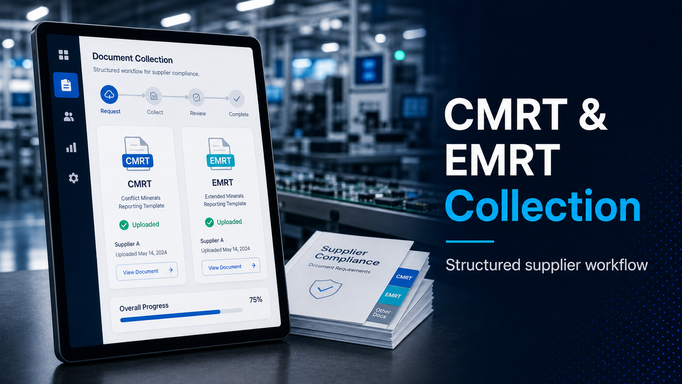
Collecting CMRT and EMRT documents from suppliers should be simple.
In practice, it rarely is.
A customer asks for conflict minerals or extended minerals reporting. The request gets forwarded to procurement, compliance, or supply chain. Someone builds a supplier list, attaches a template, sends a batch of emails, and starts tracking responses in a spreadsheet.
Then the real work begins.
Some suppliers respond quickly. Some send the wrong template. Some send an old version. Some ask which part numbers are in scope. Some forward the request internally and go quiet. A few upload files to a shared folder, while others reply to the original email thread. Before long, the team is managing a compliance campaign through inbox search, spreadsheet filters, and manual reminders.
That is not really a document collection process.
It is a chase.
For manufacturers, especially automotive suppliers responding to customer requirements, CMRT and EMRT collection works better when it is treated as a structured supplier compliance workflow.
Start by defining the supplier scope
The first step is deciding which suppliers need to respond.
That sounds obvious, but it is where many campaigns get messy. If the supplier list is copied from last year, it may include inactive suppliers and miss new ones. If the list comes from spend data alone, it may include suppliers that are not relevant to the customer request. If the list is built from memory, it will reflect whoever happened to be involved.
A better starting point is a supplier list tied to real operating context:
- commodity
- part family
- customer program
- material type
- supplier status
- production site
- direct material relevance
The goal is not to survey everyone by default. The goal is to reach the right suppliers and be able to explain why they were included.
That matters when a customer asks for status. It also matters internally when teams need to understand whether a non-response is truly a gap or just an out-of-scope supplier.
Standardize what suppliers need to submit
CMRT and EMRT requests often fail because instructions are vague.
Suppliers may not know which template to use, whether a company-level or product-level response is expected, which customer or part family the request relates to, or where to send the finished file.
Before launching the request, define the requirements clearly:
- which template is required
- which reporting period applies
- whether the response should be company-level, product-level, or program-specific
- whether supporting documentation is needed
- who at the supplier should respond
- when the response is due
- what happens if the supplier cannot complete the request
This reduces avoidable back-and-forth.
It also makes the process easier for suppliers. A supplier that receives a clear task with one upload location, one due date, and one set of instructions is more likely to respond correctly than a supplier that receives another long email thread.
Track status in the workflow, not in someone's inbox
The hardest part of CMRT and EMRT collection is usually not the first request.
It is knowing where everything stands two weeks later.
Teams need answers to basic questions:
- Which suppliers have responded?
- Which suppliers are overdue?
- Which responses are complete?
- Which responses need review?
- Which suppliers sent the wrong file?
- Which suppliers need escalation?
If those answers live in a manually updated spreadsheet, they will always lag reality.
A better workflow tracks status as the work happens. A supplier uploads a file, and the status changes. A reviewer rejects the submission, and the supplier gets a follow-up task. A due date passes, and a reminder or escalation is triggered. The compliance team can see progress without asking someone to reconcile email threads.
That is the difference between reporting on the campaign and actually managing the campaign.
Build in review and exception handling
Document collection is not complete just because a file was uploaded.
Someone still needs to review whether the submission is usable. For CMRT and EMRT campaigns, that may include checking whether the template is complete, whether the correct entity submitted it, whether required fields are filled, and whether the response can be included in the customer package.
It helps to separate response collection from response approval.
A useful workflow should support statuses such as:
- requested
- submitted
- under review
- accepted
- rejected
- overdue
- not applicable
That gives teams a clearer view than a simple yes/no tracker. It also creates a record of why a supplier was accepted, rejected, or excluded.
Keep the evidence connected to the supplier
After a customer request is submitted, the files still matter.
The next request may come from the same customer. Another customer may ask for similar data. A sourcing or supplier risk review may need to know which suppliers are responsive. An internal audit may need to see what was collected and when.
If documents are stored in a shared folder with inconsistent names, that history is hard to reuse.
CMRT and EMRT submissions should be connected to the supplier record, the request, the reporting period, and any relevant customer or program context. That makes the work useful beyond the immediate deadline.
It also helps teams avoid restarting from zero every year.
Where Supplios can help
Supplios can help manufacturers run CMRT and EMRT collection as a supplier compliance workflow instead of an email project.
The Supplier Compliance module can be used to request documents from suppliers, track response status, manage direct supplier uploads, send reminders, and keep evidence connected to supplier records. For manufacturers that also need broader supplier collaboration, the supplier portal gives suppliers one place to see tasks, submit documents, and respond to requests.
That does not remove the need for compliance judgment.
It removes the avoidable manual work around the judgment.
If your team is still collecting CMRT, EMRT, or similar supplier compliance documents through spreadsheets and inbox follow-up, a structured supplier workflow is a practical place to improve. Supplios can help centralize the request, the response, the review, and the record so your team can spend less time chasing files and more time managing the actual risk.