How to Keep Supplier Contact and Site Information Up to Date
Manufacturers can keep supplier records more accurate by turning contact, site, capability, and escalation updates into a recurring supplier workflow.

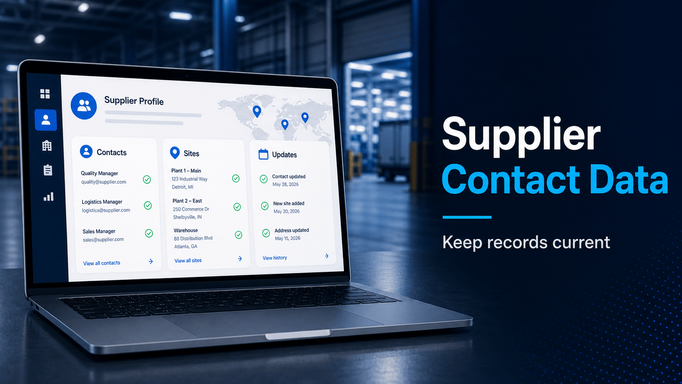
Supplier data goes stale quietly.
A quality contact leaves. A plant adds a new production line. A supplier changes the escalation contact for delivery issues. A site is consolidated. A new regional sales contact takes over. A supplier adds a capability, removes a process, or moves production to another location.
No one updates the master record.
Then the bad data shows up when the team actually needs it.
A buyer sends a request to the wrong person. A supplier quality engineer cannot reach the right plant contact. A disruption survey misses an affected site. An audit is scheduled with an outdated location. A customer escalation is delayed because no one knows who owns the issue at the supplier.
Supplier contact and site information should not be treated as a one-time onboarding artifact.
It should be maintained as an ongoing supplier workflow.
Define the supplier data that actually matters
The first step is deciding which supplier fields need to stay current.
Not every field deserves the same level of maintenance. Some supplier data is nice to have. Other data directly affects sourcing, quality, compliance, audits, logistics, and escalation.
Useful supplier profile fields often include:
- main company contact
- purchasing contact
- quality contact
- logistics contact
- escalation contact
- production site locations
- shipping locations
- legal entity information
- capabilities and processes
- commodities or categories
- approved supplier status
- plant or program relationships
- internal owner, lead buyer, or SQE
For manufacturers, site data is especially important. A supplier may have one headquarters, multiple production locations, several shipping points, and different contacts for different regions or product lines.
If those distinctions are not captured, the organization works from a simplified version of the supplier relationship.
That simplified version is often wrong.
Decide who can update what
Supplier data maintenance needs ownership.
Some fields should be supplier-editable. Others should be controlled internally. Some updates may require review before they become official.
For example, suppliers may be able to update:
- contacts
- phone numbers
- emails
- site addresses
- basic company profile data
- capabilities
- emergency contacts
Internal teams may need to control:
- approved supplier status
- risk tier
- preferred supplier flag
- commodity approvals
- internal owner
- ERP vendor number
- customer or program classifications
The workflow should make those boundaries clear.
If suppliers cannot update anything, internal teams carry too much administrative work. If suppliers can update everything without review, the data can become unreliable. The right model usually gives suppliers a way to submit updates while keeping important approval fields under internal control.
Make updates a recurring process
Supplier data refreshes should not depend on someone remembering to ask.
A recurring update workflow can be simple:
- annual supplier profile confirmation
- quarterly refresh for critical suppliers
- targeted refresh for suppliers in a region or commodity
- re-onboarding after long inactivity
- update request after supplier ownership changes
- update request before audits, surveys, or launch programs
The right frequency depends on the supplier type and risk level.
A production-critical supplier may need more frequent updates than a low-risk indirect supplier. A supplier involved in a launch may need a readiness-specific update. A supplier in a high-risk region may need fresh escalation contacts before disruption season.
The important point is that supplier data refresh becomes a managed task, not an informal email.
Route updates into the master record
Collecting updated information is only useful if it reaches the system of record.
Many teams ask suppliers to update information in a spreadsheet, then someone manually copies the data into ERP, a supplier master file, a quality tracker, or another internal system. That creates delay and error.
A better process routes updates into the supplier record after review.
The workflow should support:
- supplier-submitted changes
- internal review
- approval or rejection
- change history
- update to the supplier profile
- optional ERP or system handoff
This creates traceability. Teams can see what changed, who submitted it, who approved it, and when it became active.
That matters when supplier data affects compliance requirements, sourcing eligibility, audit planning, supplier surveys, or customer reporting.
Use supplier data to drive downstream workflows
Clean supplier data is not just administrative hygiene.
It makes other workflows work better.
Current contact and site data can help teams:
- route supplier quality issues to the right person
- send compliance requests to the right supplier contacts
- include the right sites in audits
- target disruption surveys by region
- choose suppliers for sourcing events
- apply certificate requirements by supplier type or location
- assign internal owners for follow-up
Supplier data becomes more valuable when it drives action.
That is why supplier profile maintenance should be connected to the workflows that depend on it.
Where Supplios can help
Supplios helps manufacturers keep supplier data current through supplier profiles, contacts, locations, tags, classifications, and supplier-facing update workflows.
The supplier management capabilities give teams a central supplier data foundation. The supplier onboarding module can support supplier data updates and re-onboarding workflows, where suppliers refresh contacts, locations, documents, capabilities, and other profile data. Supplios can also help connect supplier updates to downstream workflows like compliance, sourcing, audits, supplier quality, and ERP handoffs when configured.
The point is not to create a bigger supplier database.
The point is to make supplier data usable.
If your team is still relying on stale contact lists, old ERP fields, and individual buyer memory, supplier data refreshes are a practical workflow to improve. Current supplier records make every other supplier-facing process easier to run.