How to Track ISO 9001 and IATF 16949 Certificate Expiration With Suppliers
Supplier certificate tracking works best when expiration dates, renewal requests, supplier uploads, and internal reviews are managed in one repeatable workflow.

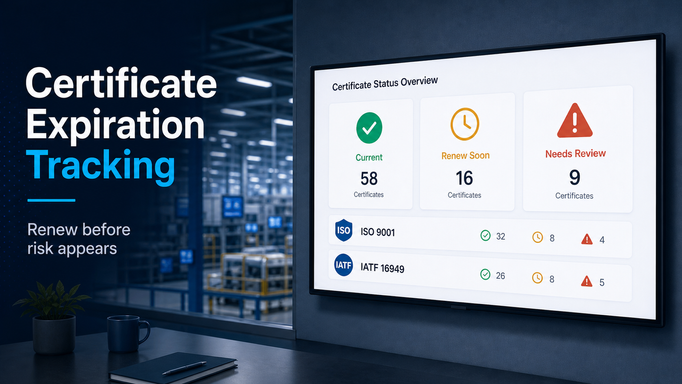
Supplier certificates usually become urgent at the worst possible time.
A customer asks for evidence. An audit is coming up. A supplier quality issue triggers a deeper review. Someone checks the supplier folder and realizes the ISO 9001 certificate expired three months ago.
Now the team is in reaction mode.
Someone emails the supplier. Someone checks an old spreadsheet. Someone asks whether the supplier is still approved. Someone else finds a newer certificate attached to an email, but no one is sure whether it was reviewed.
This is the wrong way to manage supplier compliance.
For manufacturers, certificates like ISO 9001 and IATF 16949 should not be treated as static files. They should be managed as recurring supplier requirements with expiration dates, owners, reminders, review status, and supplier accountability.
Start with a clean certificate inventory
The first job is knowing what certificates you have and what certificates you need.
Many teams have partial visibility. A certificate may exist in a supplier onboarding folder, a quality folder, a shared drive, an ERP attachment, or an email thread. The file may be current, expired, duplicated, or attached to the wrong supplier location.
Before the process can be automated, the inventory needs a simple structure:
- supplier name
- supplier site or location
- certificate type
- certificate number, if applicable
- issuing body
- issue date
- expiration date
- file attachment
- review status
- internal owner
The site or location matters. A supplier may have multiple plants, and a certificate for one facility may not cover another. That distinction is especially important in automotive supply chains where production location, process, and customer approval context can matter.
Decide which suppliers require which certificates
Not every supplier needs the same documentation.
A production direct-material supplier may require different certificates than an indirect supplier, prototype supplier, service provider, tooling supplier, or logistics partner. A supplier used for an automotive customer program may have different expectations than a supplier used for a lower-risk commodity.
This is where certificate tracking should connect to supplier segmentation.
Requirements can be based on factors such as:
- direct material vs. indirect material
- commodity or process
- customer program
- supplier location
- approved supplier status
- risk level
- regulatory or industry requirements
Without this structure, teams often default to a generic spreadsheet that either asks too much from low-risk suppliers or misses important requirements for critical suppliers.
The goal is to make the requirement clear before the certificate is missing.
Use expiration dates to trigger action early
The most important field in certificate tracking is the expiration date.
But the expiration date only helps if it triggers action.
If a team reviews supplier certificates once a year, expired documents will slip through. If reminders depend on one person checking a spreadsheet, the process will be inconsistent. If suppliers are not notified until after expiration, the team is already behind.
A better workflow should create reminders before the certificate expires.
For example:
- 90 days before expiration: supplier renewal request is created
- 60 days before expiration: reminder is sent if no response
- 30 days before expiration: internal owner is notified
- expiration date passed: supplier is flagged as non-compliant or overdue
The exact timing can vary. The important point is that expiration should create work automatically.
Let suppliers upload renewals directly
Certificate renewal should not require a long email chain.
The supplier should know what is required, which certificate needs renewal, where to upload it, and when it is due. The internal team should see when the file has been submitted and whether it needs review.
Direct supplier uploads reduce several common problems:
- files sent to the wrong person
- certificates buried in email
- old versions reused accidentally
- unclear submission date
- missing review history
The workflow should also support rejection and resubmission. If a supplier uploads the wrong certificate, an expired certificate, or a file for the wrong site, the reviewer should be able to reject it with a clear reason and send the task back to the supplier.
Separate document collection from approval
A certificate is not necessarily valid just because it was uploaded.
Supplier quality, compliance, or procurement may need to review it. In some organizations, different certificates have different reviewers. ISO 9001 may be reviewed by quality. Insurance may be reviewed by risk or legal. Environmental certificates may be reviewed by compliance.
A good process should make the approval path visible.
At minimum, teams should be able to see:
- uploaded but not reviewed
- accepted
- rejected
- expiring soon
- expired
- missing
This helps managers understand whether the supplier base is actually compliant or whether documents are only sitting in a folder waiting for review.
Make certificate status easy to report
Certificate tracking becomes much more useful when teams can report on it quickly.
Common questions include:
- Which suppliers have expired ISO 9001 certificates?
- Which IATF 16949 certificates expire in the next 60 days?
- Which production suppliers are missing required certificates?
- Which suppliers have submitted renewals that still need review?
- Which suppliers are non-compliant by plant, commodity, or region?
If answering those questions requires a manual spreadsheet update, the process is still too fragile.
Certificate status should be visible in a way that purchasing, supplier quality, compliance, and leadership can use without asking one person to assemble a report.
Where Supplios can help
Supplios helps manufacturers manage supplier certificates as an ongoing compliance process.
The Supplier Compliance module supports supplier certificate tracking, direct supplier uploads, expiration reminders, renewal workflows, configurable approval steps, and compliance status reporting. Supplier records can also stay connected to broader supplier management context, such as supplier categories, capabilities, locations, and ownership.
That means a certificate is not just a file.
It is part of a managed supplier record.
If your team is still tracking ISO 9001, IATF 16949, ISO 14001, VDA, or other supplier certificates in spreadsheets and shared folders, the next improvement is not another tracker. It is a workflow that knows what is required, when it expires, who owns it, and which suppliers still need to act.