One Supplier, Multiple Vendor Codes: Connecting Supplier Data Across ERPs
Learn how Supplios connects multiple ERP vendor codes to one supplier for global performance, quality, and communication while preserving local plant detail.

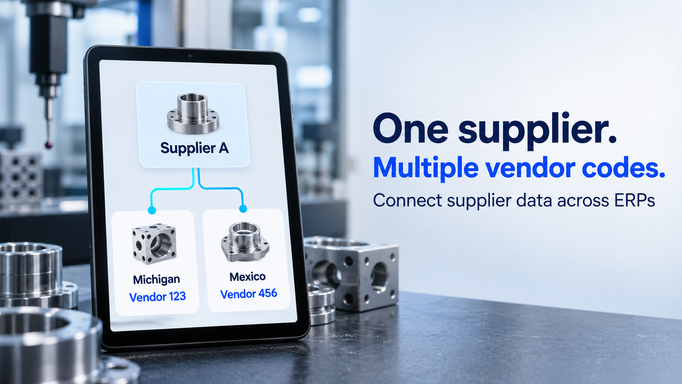
Your Michigan plant knows Supplier A as vendor 123. Your Mexico plant buys from the same supplier, but its ERP calls them vendor 456.
Both records are valid. Both plants can place orders and receive parts. The difficulty appears when someone asks a question that crosses the plant boundary.
How is Supplier A performing across our business? Which quality issues are still open? Has another plant already asked them for this information? Who owns the overall relationship?
Answering those questions should not require someone to recognize two vendor names, reconcile two exports, and ask both plants for their latest trackers.
A supplier relationship needs a shared identity across the business, even when local ERP systems use different vendor codes. Supplios supports that approach by connecting multiple supplier identifiers to a single supplier, providing a foundation for coordinated supplier management across plants and systems.
A local vendor code is only part of the supplier's identity
Different ERP systems can assign different identifiers to the same supplier. Separate plants or business units may also have their own vendor records within a shared ERP environment.
That does not necessarily mean those records are wrong. Each may serve a valid local purchasing or accounting purpose.
The problem comes when the organization uses those separate records as the boundaries of supplier management. Performance history, quality claims, contacts, and open actions become fragmented according to how the ERP landscape is organized.
Someone preparing a global supplier review then has to rebuild the relationship from its local pieces. A spreadsheet mapping vendor codes can help with a particular report, but the same mapping also needs to inform daily supplier work.
A shared supplier identity gives those local records a consistent connection. Michigan can continue using vendor 123. Mexico can continue using vendor 456. Both can be associated with Supplier A in the system used to manage the relationship.
How Supplios connects multiple vendor codes to one supplier
Supplios has native support for connecting multiple identifiers, including ERP vendor codes, to a single supplier. This allows it to serve as the shared supplier management system across multiple ERPs.
Using our example, the relationship looks like this:
| Local ERP context | Local vendor code | Shared supplier in Supplios |
|---|---|---|
| Michigan plant / ERP A | 123 | Supplier A |
| Mexico plant / ERP B | 456 | Supplier A |
The local codes remain useful references. Once the mapping and relevant data flows are configured, information arriving under either code can be associated with the same supplier relationship.
The source context matters. Vendor 123 in one ERP could be a completely different company from vendor 123 in another. The mapping therefore needs to identify the relevant ERP instance and, where necessary, the company or purchasing context in which the code is meaningful.
This also means separating two implementation decisions: which supplier the local record represents, and which information should move between systems. Connecting an identifier does not mean every ERP field must be synchronized in both directions.
For example, ERP may remain responsible for purchasing and payment records, while Supplios provides the shared supplier profile, contacts, quality workflows, scorecards, and communication. Agreeing on those responsibilities makes the connection useful and maintainable.
Measure performance across the whole supplier relationship
When a supplier's results are split across vendor codes, a local scorecard answers only part of the management question.
Michigan might see acceptable delivery performance while Mexico is repeatedly expediting late shipments. One plant may have a small number of severe quality issues that deserve attention even when the supplier's overall defect rate looks reasonable.
A consolidated supplier view helps teams examine the whole relationship. Local breakdowns explain where action is needed.
Supplios Supplier Performance can combine ERP data and other inputs in configured scorecards, with views by dimensions such as plant, supplier site, part family, and period. Connecting local identifiers to the correct supplier is a prerequisite for that data to tell a coherent story.
Consolidated metrics need consistent calculation rules
Mapping vendor codes is the first step. Teams also need to agree on what each metric means and how it should be combined.
Consider this illustrative monthly quality example, using the same definition of defective received units at both plants:
| Receiving plant | Units received | Defective units | Defective parts per million (PPM) |
|---|---|---|---|
| Michigan | 10,000 | 20 | 2,000 |
| Mexico | 90,000 | 90 | 1,000 |
| Combined | 100,000 | 110 | 1,100 |
The combined result is 110 defective units divided by 100,000 received units, multiplied by 1,000,000: 1,100 PPM. Simply averaging the two plant PPM values would produce 1,500 PPM and give each plant equal weight despite their different receipt volumes.
The combined view should still show Michigan's 2,000 PPM. A global number alone could hide a local problem.
Apply the same discipline to other measures. Align reporting periods, define what counts as on time, identify the unit being measured, and avoid counting the same event twice. A shared supplier identity makes consolidation possible; agreed measurement rules make the results useful.
Connect quality history across plants
Imagine that Michigan opens a corrective action for a dimensional defect on a machined component. A few weeks later, Mexico reports a similar issue with parts from the same supplier manufacturing site.
If those claims sit under disconnected vendor records, each team may handle its issue without knowing about the other. The supplier may provide separate explanations, and management may see two isolated incidents.
Connecting the records makes it easier for authorized teams to review the supplier's wider issue history. They can investigate whether the problems are related, assess other affected deliveries, and coordinate the supplier response.
Each claim still needs its own facts: the receiving plant, supplier site, affected part, quantities, containment requirements, and responsible people. Similar symptoms do not automatically establish a common root cause.
The benefit is that teams can investigate with the relevant history available. Where a common corrective action is appropriate, they can coordinate it while preserving the evidence and verification needed for each affected scope.
That continuity also helps during supplier reviews. Purchasing and supplier quality can discuss open issues, recurring problems, and improvement commitments against the same supplier relationship.
Give communication a shared supplier context
The same fragmentation affects ordinary communication.
One buyer asks Supplier A for an updated company profile. Another plant sends the same request the following week. A global category manager asks for a status update that the supplier already provided to a local SQE.
A shared supplier record creates a place to connect contacts, requests, tasks, and relevant history. Teams can check what has already been requested and who owns the follow-up before sending another message.
Supplios keeps communication associated with supplier activities such as claims, RFQs, and PPAP submissions. With those activities connected to the appropriate supplier, authorized colleagues can find the conversation in its operational context.
This should also improve the supplier's experience. Shared requests can be coordinated, while plant-specific work can be directed to the right people with clear requirements and deadlines.
It does not mean every request can be combined. Michigan and Mexico may need different part approvals or local documentation. The shared view helps teams make that distinction deliberately and explain it to the supplier.
Manage globally while preserving local detail
Treating a supplier as one global relationship works best when the underlying structure remains clear.
Keep three concepts distinct:
- The supplier identity: the supplier represented by the connected local vendor records.
- The supplier's sites: the facilities producing parts or providing services, with their own capabilities, contacts, and relevant evidence.
- Your receiving plants: the locations buying or receiving from the supplier, with their own requirements, results, and owners.
A certificate may apply to a particular supplier site. A part approval may have a defined scope. An open claim may affect one receiving plant. Those details should remain attached to the relevant work rather than becoming an undifferentiated supplier-wide status.
Legal entities need similar care. Two companies in the same corporate group are not necessarily the same supplier entity. Validate which records represent the same supplier and which represent related but distinct entities before connecting them.
Shared identity also works alongside access controls. People should see the supplier information and activities appropriate to their role. Global coordination depends on useful visibility and clear responsibility, not unrestricted access to every record.
Start connecting suppliers before consolidating ERPs
You can begin connecting supplier identities while existing ERP systems continue to serve their plants. A practical first implementation can focus on a small group of suppliers that work with multiple locations.
1. Collect and validate the local records
Bring together the vendor codes, ERP sources, names, addresses, and other information needed to establish which records represent the same supplier. Confirm uncertain matches with the responsible teams. Similar names alone are insufficient.
2. Agree on the supplier and site structure
Define the shared supplier record, the relevant supplier sites, and how local vendor codes relate to them. Keep purchasing context and receiving-plant information where they are needed to interpret transactions and workflows.
3. Assign ownership of mappings and updates
Decide who approves a new identifier association and who handles changes. Establish which system owns each important field, which updates require review, and how discrepancies will be resolved.
4. Connect the data needed for the first use case
For supplier scorecards, that may include goods receipts, delivery results, and quality information. For coordinated quality management, it may begin with supplier profiles, contacts, and claims.
Supplios supports integration and data-import approaches depending on the process and technical environment. Define the refresh frequency, validation, and handling of unmatched records for the chosen approach. Automated connections need to be scoped and configured.
5. Prove the shared view with both plants
Check that Michigan's vendor 123 and Mexico's vendor 456 resolve to Supplier A. Reconcile a sample reporting period against the source records. Confirm that local breakdowns remain accurate and that tasks and communication reach the right owners.
Also test an unknown vendor code. It should be flagged for review rather than silently assigned to an existing supplier.
Once teams trust the mapping and workflow, expand to more suppliers and additional processes.
Use the shared identity to run supplier operations
The value of connecting supplier master data grows when teams use the connection throughout their daily work.
Supplios brings supplier management and supplier performance together with quality, onboarding, compliance, sourcing, and other supplier workflows. Its support for multiple identifiers gives manufacturers a way to maintain one supplier relationship across local ERP records, then use that foundation for shared reporting and coordinated action.
Michigan can keep vendor 123. Mexico can keep vendor 456. Your team can manage Supplier A with a clearer view of the business you do together.
Book a Supplios demo and bring an example of one supplier represented in two ERP systems. We can walk through the identifier mapping, the plant-level detail you need to preserve, and how to connect that information to supplier performance, quality, and communication.